Switching to Kaltro from Strong or Hevy
Moving apps is mostly about not losing your history. Bring it across first, then decide on the differences and the cost.
Start here
Bring your history
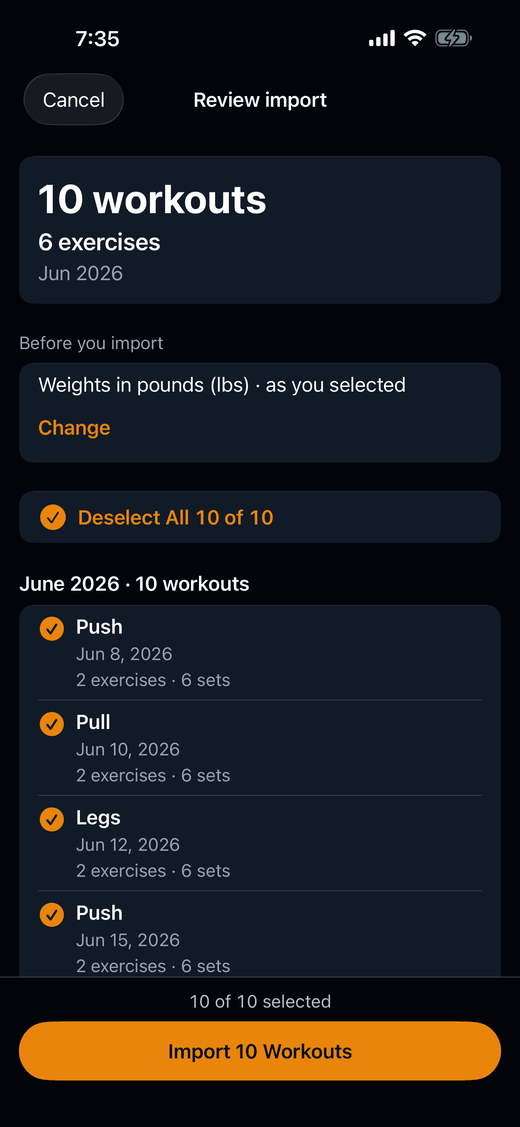
Export a CSV from Strong or Hevy, or any generic CSV, and import it on your iPhone. The guide covers each app’s steps and what carries over.
Leaving Strong
For Strong users: what comes with you, what changes in your first week, and where to read the dated comparison.
Kaltro vs Strong
A dated comparison with Strong: suggestions and their reasons, free-plan limits, and where Strong fits better.
Kaltro vs Hevy
A dated comparison with Hevy: what Hevy Trainer explains, where Kaltro’s reasons go further, and where Hevy fits better.
Nothing is saved until you say so
Every import opens on a preview, and nothing is saved until you confirm it. Your full history comes with you, your PRs are derived from it on-device, and your imported sets fill in each lift’s history and estimated-1RM chart.
If you ever want to leave, export your full workout history as CSV, anytime.
For what Kaltro costs, see Kaltro pricing. Weighing other apps too? See all comparisons.
Train with proof.
Kaltro is not on the App Store yet. Ask for TestFlight access, then bring your history across.
Or email feedback@kaltro.fit — we add testers by hand.