Start from a template, or write your own
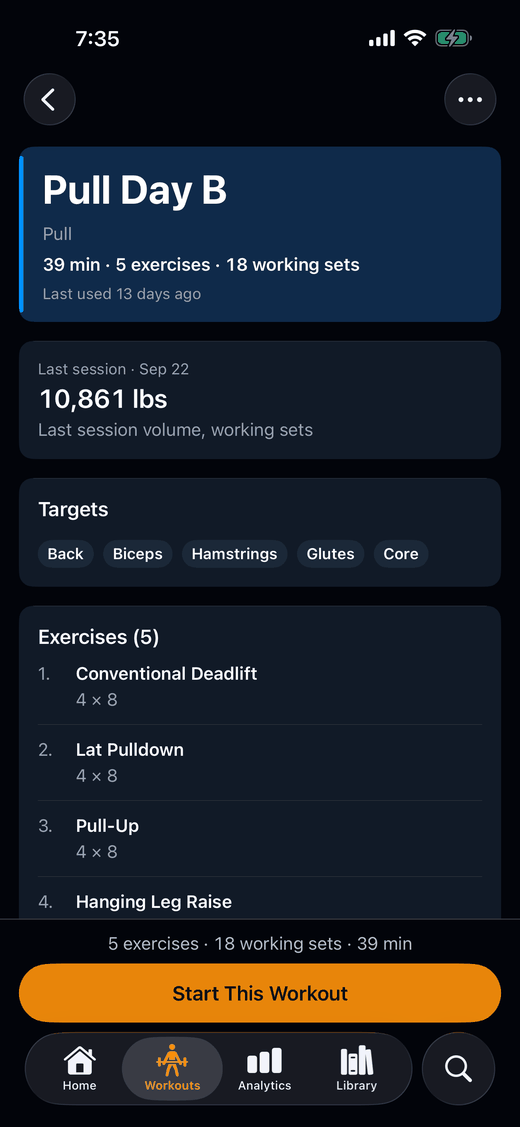
Train from a built-in template, build your own with prescribed sets, rep ranges and rest, or have Kaltro put together one session from the equipment you have.
Built-in templates
Kaltro ships with built-in templates for the common splits, among them push/pull/legs, upper/lower and full body three days a week. Those three are written up, with a free CSV, in the workout templates.
Kaltro suggests on whichever template you train from, built-in or your own — it never rewrites the template.
Your own templates
Build reusable templates with prescribed sets, rep ranges, RPE targets and rest periods. Exercises come from the built-in library — each mapped to the muscle groups it trains — plus your own custom exercises.
The free plan includes 7 of your own templates, alongside the built-in ones.
Build a Workout
Tell Kaltro which equipment you have, and Build a Workout puts together one session from it when you ask. You look over the draft, then start it or save it as a template.
Building a workout is free. Saving it as a template counts toward the 7 templates of your own on the free plan.
Free and Pro, and where to go next
What Pro adds is on the pricing page.
Next: see an increase, a hold, a lighter weight and a lighter restart, each with its reason, on how Kaltro works, or see switching to Kaltro to bring your history from Strong or Hevy.
Train with proof.
Kaltro is not on the App Store yet. Ask for TestFlight access, then start from a template.
Or email feedback@kaltro.fit — we add testers by hand.